
Availability
+1 numbers
Scout & Runner is being evaluated in the +1 region. International expansion depends on the onboarding and anti-fraud model proving effective.
Active for +1 country numbers
Complete KYC, then dial Scout-verified +1 country routes from a dedicated prepaid SIM, keep calls connected, and earn 70% of verified per-minute rewards.
The opportunity is simple: good routes need repeated verification, and verified minutes can create UP rewards.
The task in a nutshell
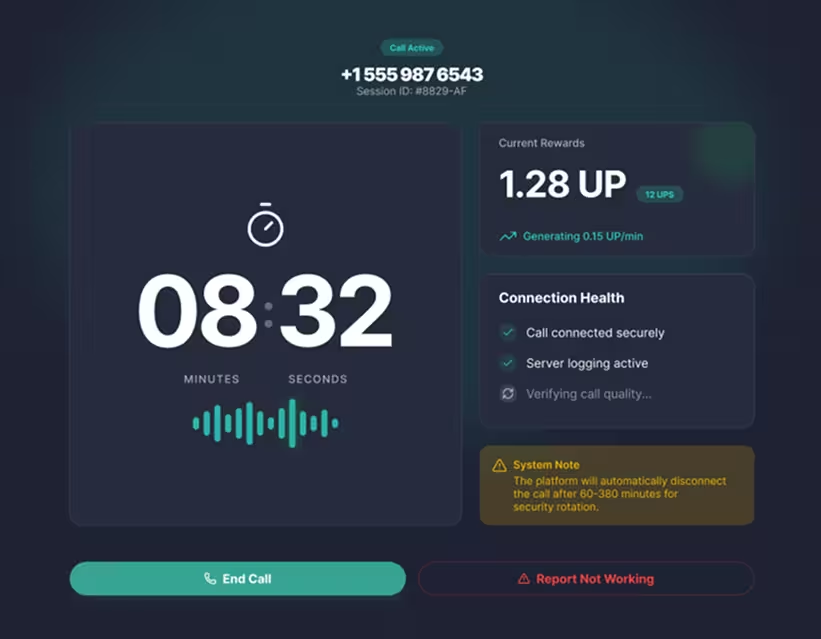
Runner is active verification work for +1 country numbers: complete KYC, use a dedicated prepaid SIM, place the assigned call manually, and earn only when the connection and report pass backend checks.
Availability
+1 numbers
Scout & Runner is being evaluated in the +1 region. International expansion depends on the onboarding and anti-fraud model proving effective.
SIM rule
Dedicated prepaid
Use prepaid SIMs or eSIMs purchased for S&R, not your personal SIM.
Minimum hold
30 sec
Stay connected for at least 30 seconds before a call can qualify.
Runner share
70%
Earn 70% of the per-minute reward on verified connected minutes.
The opportunity
Scouts find promising voice routes. Runners turn those discoveries into live data by calling, holding, and reporting from real prepaid SIMs. It is practical, repeatable work: the app shows the route, you make the call, and verified minutes can earn UP.
How it works
Step 1
Complete KYC and accept the current terms, then open the Runner dashboard and check the destination, reward rate, and SIM plan needed for the number.
Step 2
Dial manually from your registered prepaid SIM, listen for the IVR, and stay connected for at least 30 seconds.
Step 3
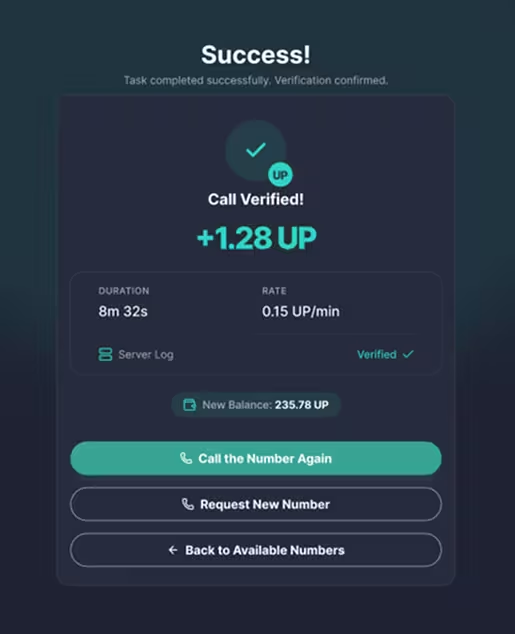
Submit what happened. When the backend confirms the call and report, the verified minutes can earn UP.
Rewards
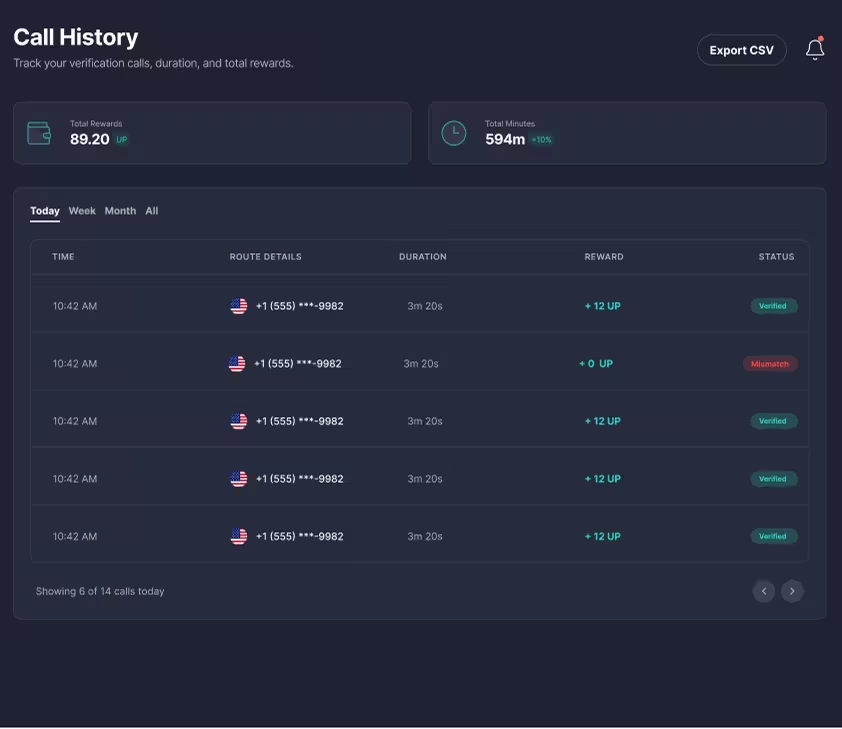
When the backend confirms that your call connected, stayed up for at least 30 seconds, and matches your report, verified minutes can earn UP. The Runner share is 70% of the per-minute reward.
Runner share
70%
Minimum
30 sec
Settlement
Daily
Important details
Runner has a few non-negotiable rules because real carrier costs and route quality matter. The full details are here when you need them.
Scout & Runner is being evaluated in the +1 region. International expansion depends on the onboarding and anti-fraud model proving effective.
The most important safety rule is simple: only dial when your SIM plan covers the destination and the reward rate is higher than your carrier cost.
The reward is for an accurate verification report that matches telecom telemetry, not for dialing by itself.
Most rejected attempts come from short calls, mismatched reports, or activity that is not genuinely manual.
Rewards are confirmed after backend checks. Some activity can be held for review if fraud detection flags are triggered.
Frequently asked questions
A Runner manually dials Scout-verified international voice routes at volume from dedicated prepaid SIMs or eSIMs, then submits a verification report for each call.
Yes. Parallel dialing across your own devices is permitted and encouraged, as long as each device uses its own registered SIM and matching call plan.
No. Runners must use dedicated prepaid SIMs or eSIMs purchased specifically for S&R. Personal and daily-use SIMs are prohibited.
Scout & Runner is being evaluated in the +1 region. International expansion depends on the onboarding and anti-fraud model proving effective; check availability in S&R.
Yes. Both Scouts and Runners need KYC. If you already completed KYC in the Unetwork App, it is recognised in Scout & Runner; otherwise, complete it before S&R onboarding.
A report earns only after the backend confirms that the call connected, was held for at least 30 seconds, and the submitted report matches telemetry.
The Runner share is 70% of the per-minute reward for verified connected and held minutes on eligible reports.
APEX may hold up to 7 days of Runner rewards when activity triggers fraud detection flags, including suspicious patterns or report mismatches.
Ready to become a Runner
Start with the license. Then follow the S&R prompts in the app for supported Runner participation, route availability, SIM registration, and plan confirmation.
Need operator chatter and rollout notes? Join the Telegram community.