
Role
Scout
Connectivity researcher for international voice routes in Scout & Runner.
Scout & Runner task guide · Updated 7 August 2026
Scout & Runner is active for +1 country numbers. Complete KYC, use a dedicated prepaid SIM, and submit accurate route reports to take part.
Key point: the reward is for the accepted verification report, not for placing a call alone.
Role
Scout
Connectivity researcher for international voice routes in Scout & Runner.
SIM rule
Dedicated prepaid
Use only lawful prepaid SIMs or eSIMs purchased specifically for S&R.
Availability
+1 numbers
Scout & Runner is being evaluated in the +1 region. International expansion depends on the onboarding and anti-fraud model proving effective.
Accepted report
0.10 UP
Each accurate report can earn once accepted and verified.
Cycle cap
8 numbers
A Scout can validate up to 8 numbers in a 48-hour cycle when available.
What Scout is
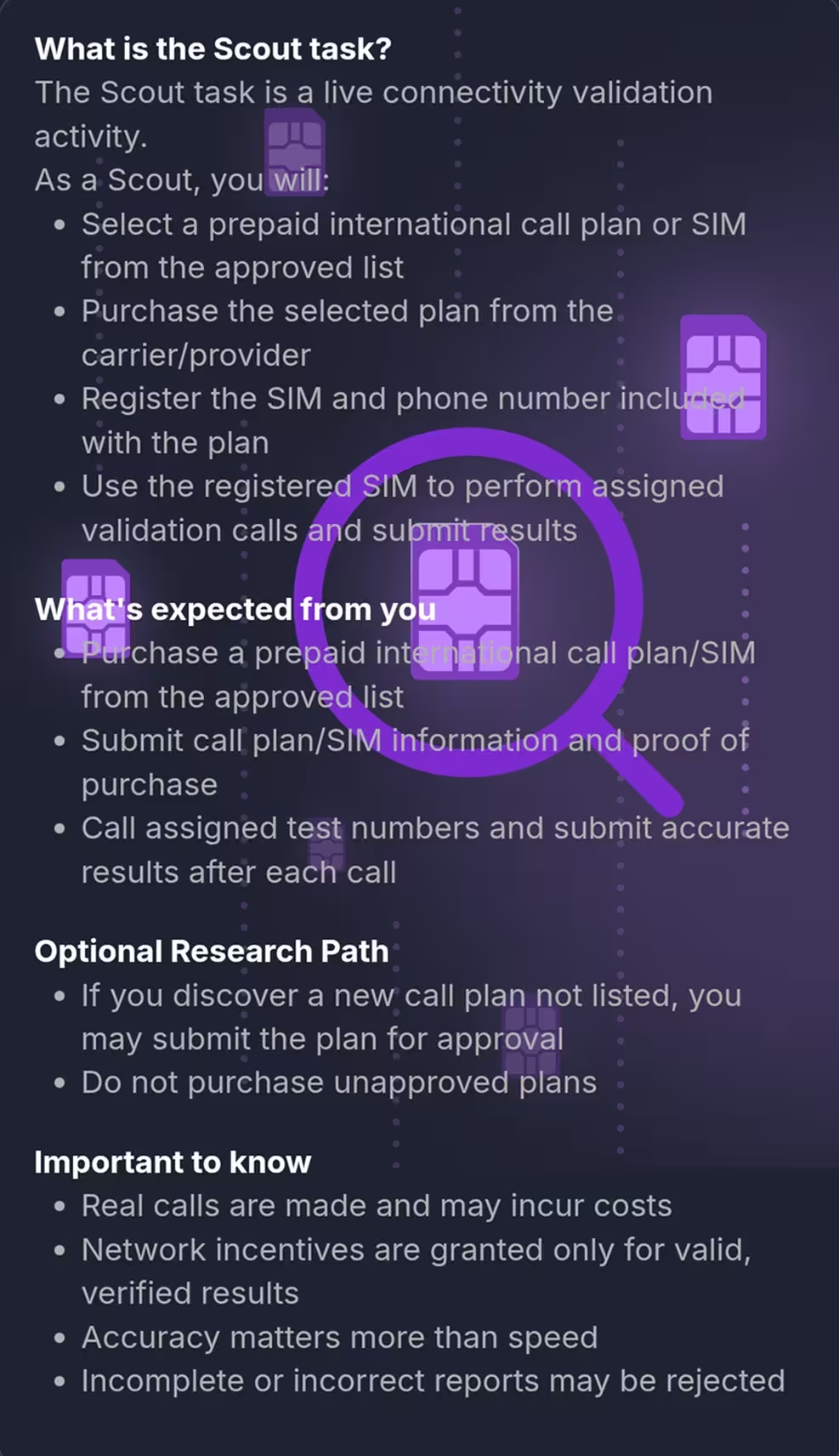
Unetwork Scout & Runner is an active task for +1 country numbers. Scouts complete KYC, then help discover telecom routes by placing manual test calls from a dedicated prepaid SIM and submitting accurate reports.
The idea is straightforward: find routes that connect, document what happened, and earn rewards when your reports are accepted and verified.
Step 1
Complete KYC, accept the current terms, then choose a supported prepaid SIM, eSIM, or call package.
Step 2
Dial assigned numbers manually from your dedicated Scout SIM and listen to what happens.
Step 3
Report the outcome and real balance so the route can be verified and reviewed.
How it works
You use a dedicated prepaid SIM, call assigned test numbers yourself, and report the result. S&R checks the report against telecom signals before rewards are confirmed.
Calls are not the product. Accurate reports are. If a report is missing, guessed, or fails verification, it may not earn UP.
Do
Use the approved SIM and report honestly.
Avoid
Personal SIMs, automation, and estimated balances.
Rewards
Scout rewards are allocated in UP after verification. A reward is not guaranteed for every call or action, but accepted reports and promoted routes can create several earning paths.
Accepted report
0.10 UP
Per accurate Scout report after review.
Full session
0.50 UP
Up to 5 reports for one number, including valid early-ending outcomes.
Promoted route
5 UP + 4%
Bonus when promoted, plus ongoing share from Runner activity.
Call report: 0.10 UP
Paid per accepted report from an eligible SIM when the report passes backend and moderation checks.
Verification session: 0.50 UP
A full single-number session is up to 5 calls and 5 reports. Voicemail or human answer can end the session early and still pay the full amount when reported.
Route promotion: 5 UP
Paid once a validated number is promoted and used by Runners, usually within the platform review window.
Ongoing route share: 4%
The discovering Scout can receive 4% of Runner minute rewards on a verified active route for its lifespan.
ScoutQuest approval: 5 UP
Approved original ScoutQuest submissions can earn 5 UP each, up to 50 UP per period.
SIM refund: 1 per carrier / month
One eligible SIM refund is available per carrier each month. Extra SIMs do not qualify for refunds or additional report rewards.
Important details
These details keep Scout accurate, fair, and safe. Open the sections that matter when you are ready to participate.
Scout & Runner is being evaluated in the +1 region. Complete KYC and accept the current S&R terms before participating. Use a dedicated prepaid SIM or eSIM bought for Scout work, not your personal or daily-use SIM.
Rewards depend on reports that match what happened on the call. Balance entries help S&R understand the real cost of the route.
Each Scout can receive one SIM refund per carrier per month. You may use additional SIMs, but they do not qualify for refunds or additional report rewards.
ScoutQuest is the research path for finding prepaid SIM and package combinations that are not yet approved.
Your mobile carrier relationship stays separate from APEX. You are responsible for plan rules, rates, and charges.
Most rejected reports come from preventable reporting, timing, or SIM mistakes.
The Golden Rule
Enter your real SIM balance before the first call and after every call. Do not estimate, round, or skip the wait period. Honest reporting is what makes Scout routes useful.
Frequently asked questions
A Scout manually validates international voice routes by dialing APEX-provided test numbers from a dedicated prepaid SIM, then submitting accurate reports about the call outcome and remaining balance.
No. Scout calls are placed manually by you from your own dedicated prepaid SIM. S&R does not provide a dialer, cloud calling, or auto-dialing.
No. Scout work requires a lawful dedicated prepaid SIM or eSIM purchased for S&R. Personal and daily-use SIMs are prohibited.
Scout & Runner is being evaluated in the +1 region. International expansion depends on the onboarding and anti-fraud model proving effective; check availability in S&R.
Yes. Both Scouts and Runners need KYC. If you already completed KYC in the Unetwork App, it is recognised in Scout & Runner; otherwise, complete it before S&R onboarding.
Each Scout can receive one SIM refund per carrier per month. Extra SIMs do not qualify for refunds or additional report rewards, but discovering new access can still earn 5 UP and a 4% share of Runner call revenue from that access.
No. Rewards are allocated for accurate verification reports that pass backend checks. If a call has no accepted report, no reward is allocated.
Hang up, report the outcome, and stop the sequence for that number. This is a complete validation result and can receive the full 0.50 UP session payout when the report is accepted.
ScoutQuest is a research module for submitting local prepaid SIM and package combinations for review. Approved original submissions can earn 5 UP each, up to 50 UP per period.
A SuperScout is an appointed role for ScoutQuest moderation and community support under a separate Super-Scout Program Agreement.
Ready to scout routes
This portal reserves a 80% ULO / 20% UNO claim code. After you claim one, install Unetwork, sign in, and follow the S&R prompts for supported Scout participation.